Which file formats are supported?
Slomo handles .wav, .aiff, .mp3, .aac, .m4a, .m4b and .caf-files. Currently no .ogg, no .flac.
Slomo is a focused Mac app for musicians who learn by listening. Slow down any song, loop the hard parts, and now — separate instruments and detect chords with on-device AI.


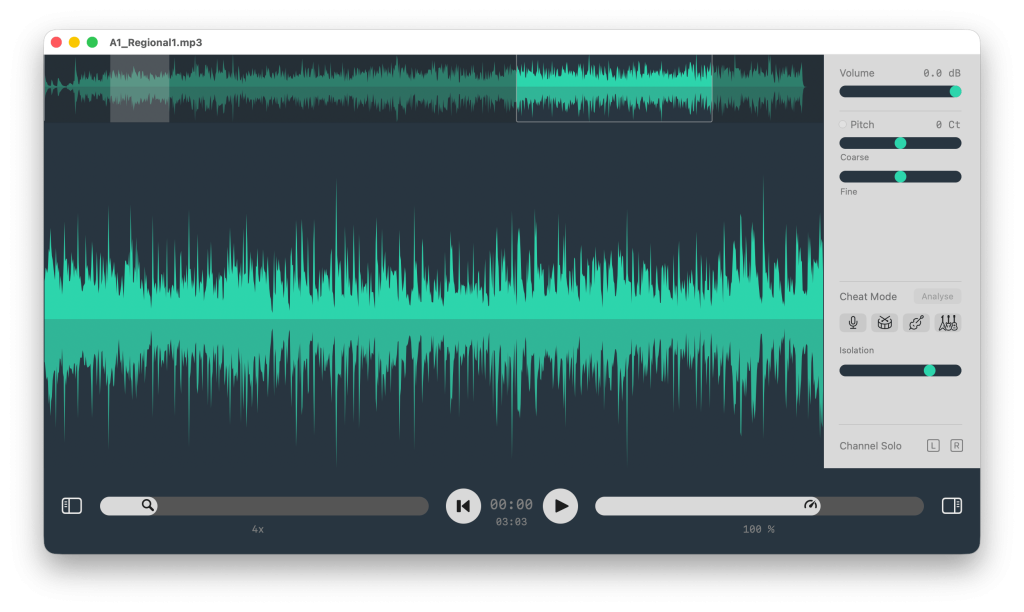
Beyond filtering
Slomo's AI stem analysis separates your song — vocals, guitars, bass, drums — right on your Mac within seconds. No uploading to a server. No credits. No fuzz.
We call it Cheat Mode
Solo the bass line to catch every note. Mute the vocals to play along with the band. Or isolate the guitar to hear exactly what's being played — without the rest of the mix getting in the way.
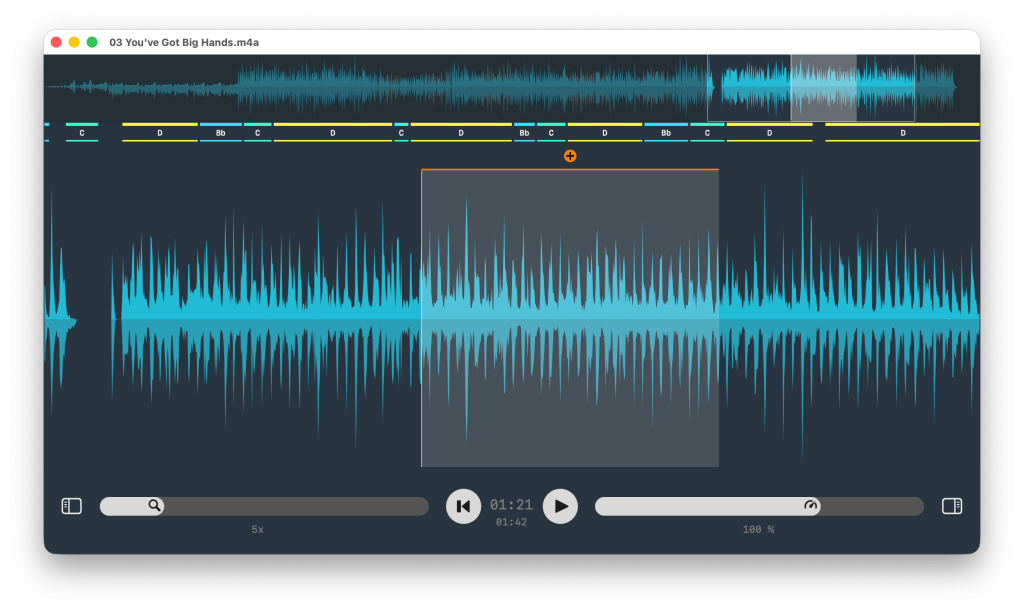
Show Chords
Toggle chords per song, so you spend less time guessing and more time playing.
Edit Chords
All Chords are editable, so you can refine what you hear. Your ear gets better every time.
We call it Beta
We are honest: the technology gets ~80% of songs right today. The other 20%? That's where your ears take over.
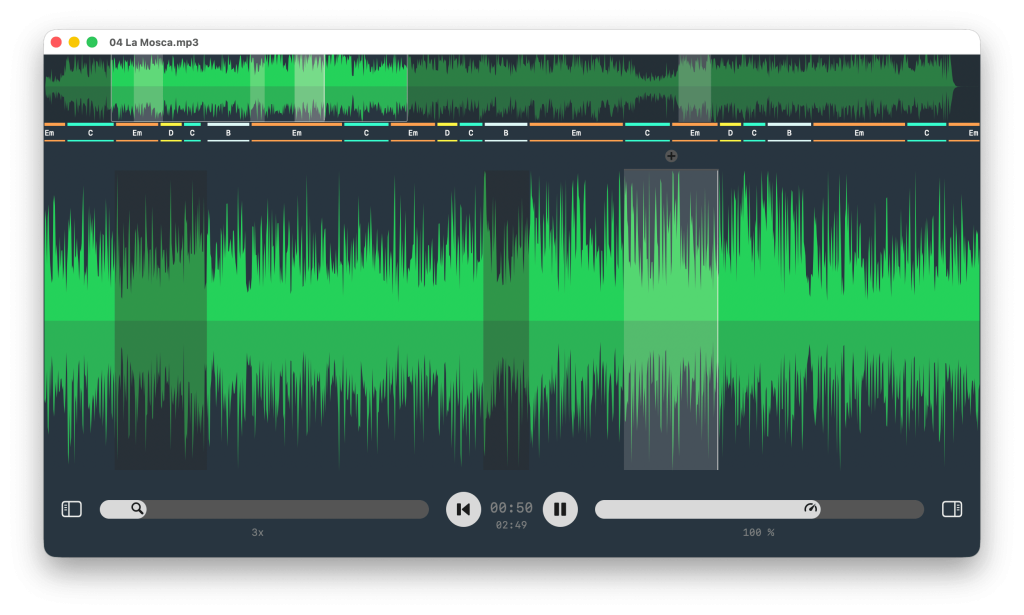
Jump to the hard part instantly
Use the waveform overview to jump through a track quickly, then zoom in to place loops with precision. Keyboard shortcuts give you fast control over playback, speed and loops without slowing down your practice.
Save every section worth repeating
Create multiple loops for intros, riffs, solos or transitions. All saved automatically with the song. Open the track again and your saved loop markers are ready for the next session.
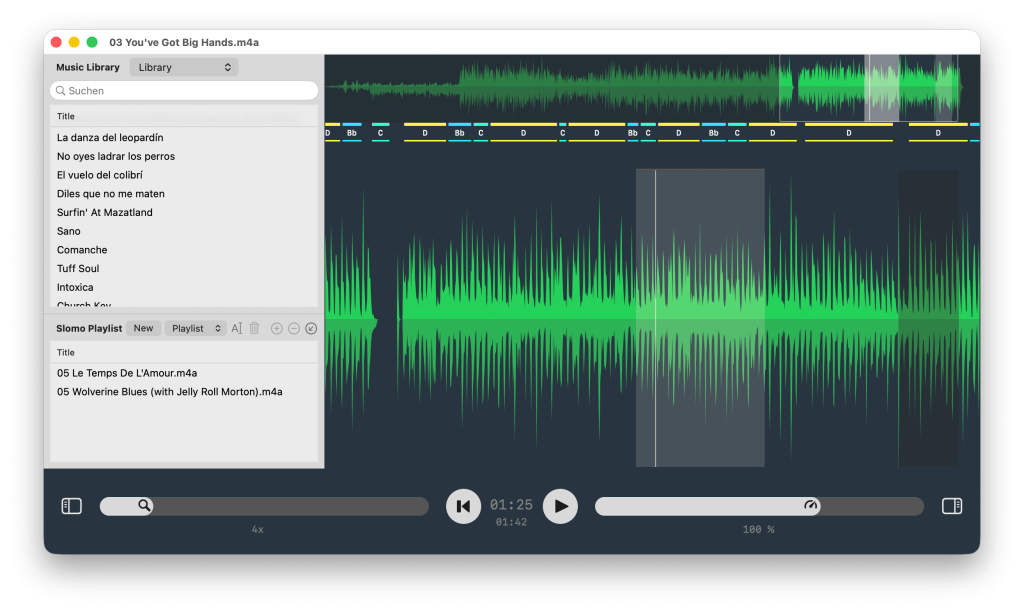
Stop hunting for files. Start playing.
Add your songs from your local music library and create custom playlists. Group them by what you're working on — the jazz standard, the covers set.
Drag & drop tracks straight from the library or add the song you're listening to.
And get straight to practice.
SPACE
↩︎
↑ or ↓
← or →
Scroll Wheel or Trackpad L/R
⇧ + Wheel or Pinch Gesture
⌘ + A
⌘ + R
⌥ + ⌘ + R
L
⌘ + →
⌘ + ←
⌥ + ←
⌥ + →
Slomo handles .wav, .aiff, .mp3, .aac, .m4a, .m4b and .caf-files. Currently no .ogg, no .flac.
Be sure to use your local library. Tracks from an iTunes server or another computer's library can't be dragged anywhere.
It may be copy-protected, which Slomo does not support. This is uncommon today, but it can still happen with some purchased files.
The waveform shows the left channel in the upper half and the right channel in the lower half of the view.
Found a bug? Please contact us first — we actually read every message. And we fix fast.
If you enjoy our first application, make us happy by rating Slomo in the Mac App Store and tell your music loving friends about us.
Thanks!